NaviGate is the cockpit companion that keeps you ahead of the weather and the airspace.
▶ Version 2.9 — Category C Aerodromes · Reliable D-ATIS
Download on the App Store
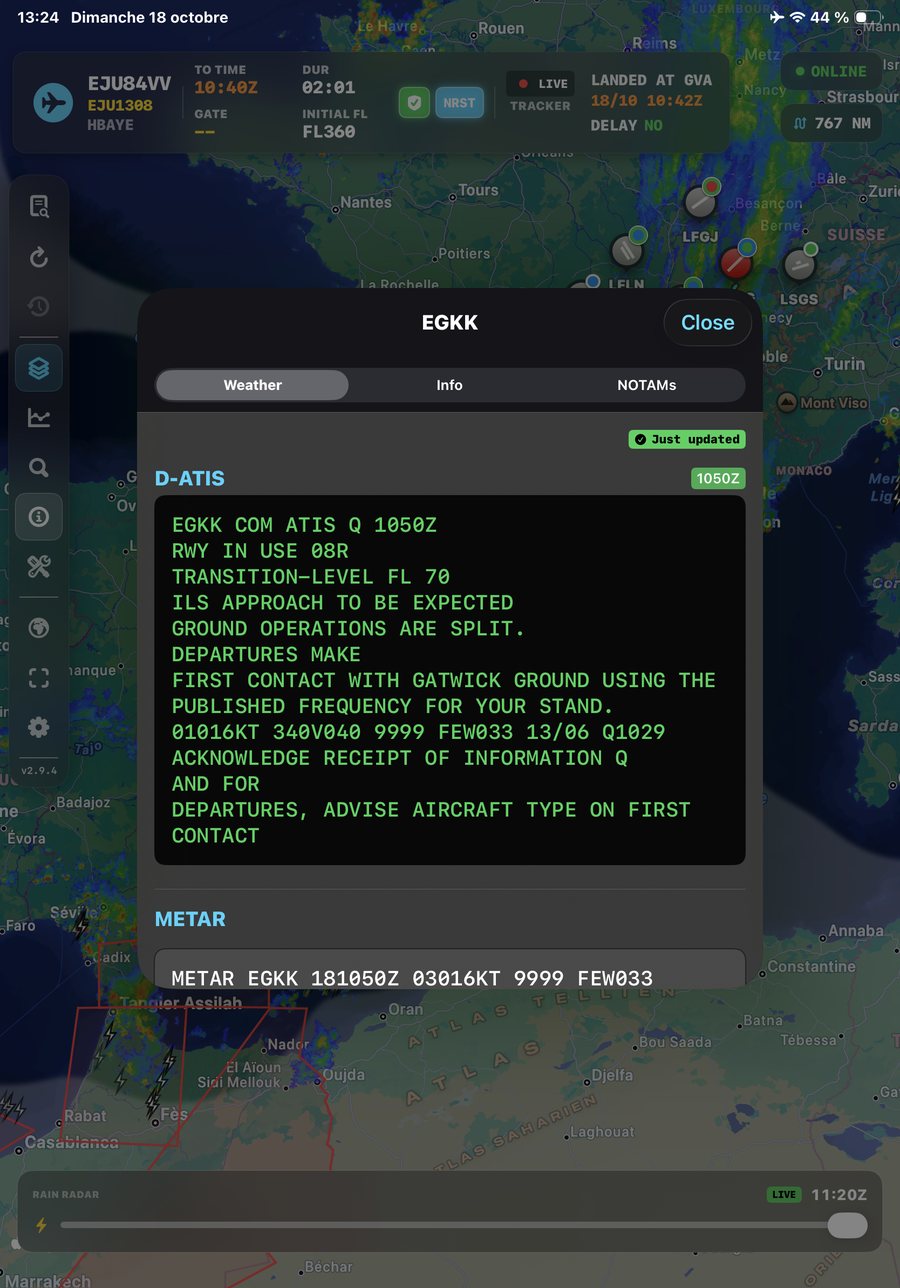
Radar, lightning, SIGMET, turbulence, CB tops, icing, wind and en-route weather now live in a single Layers panel instead of crowding the toolbar. The toolbar itself is shorter, and its buttons never change position — the same gesture lands in the same place every time.
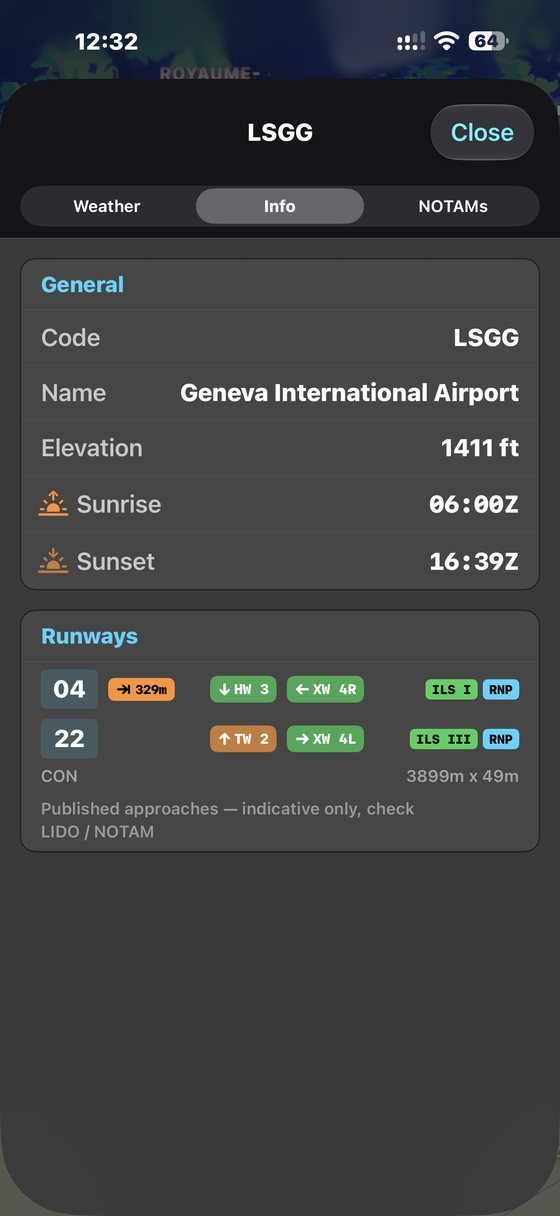
Innsbruck, Chambéry, London City, Funchal and others require a specific crew qualification. They are now marked on the airport page and in the Alternate Finder — so a field that needs one never slips quietly into your diversion shortlist. Coverage is currently limited to Europe and the North Atlantic; your operations manual remains the authority.
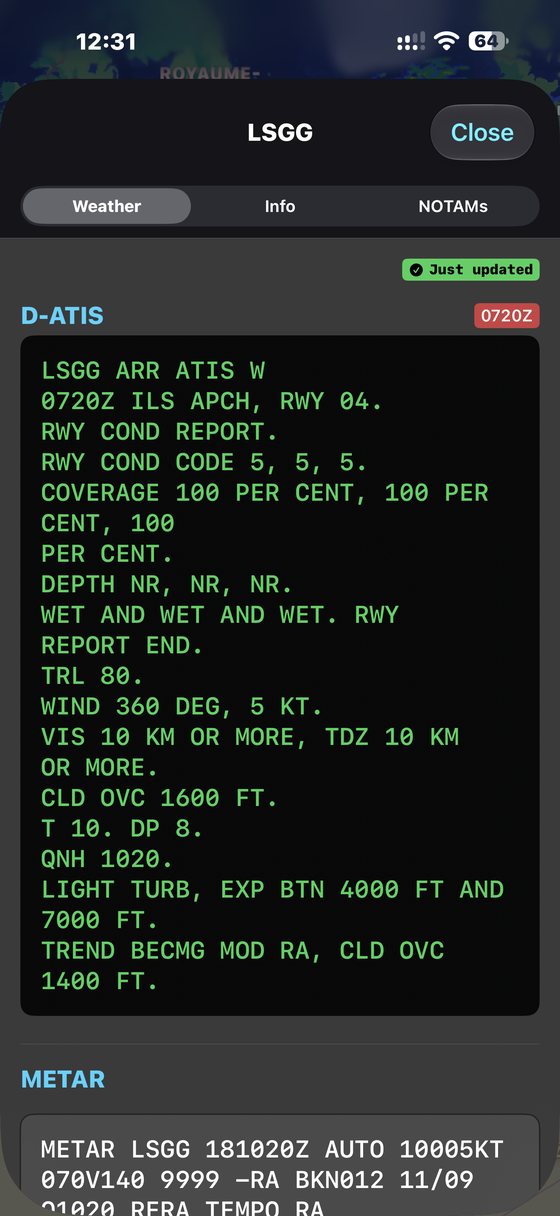
Reports that arrived cut off mid-sentence — missing the QNH and the wind — used to be shown as if they were complete. Others were quietly rebroadcast days later and looked current. NaviGate now checks every report against the live METAR before displaying it, retries failed lookups, and reads the formats used by airports that previously returned nothing at all.
Point your camera at any LIDO ATC flight plan. Smart Scan OCR extracts your route, levels, alternate, and EOBT in under a second — no typing required.
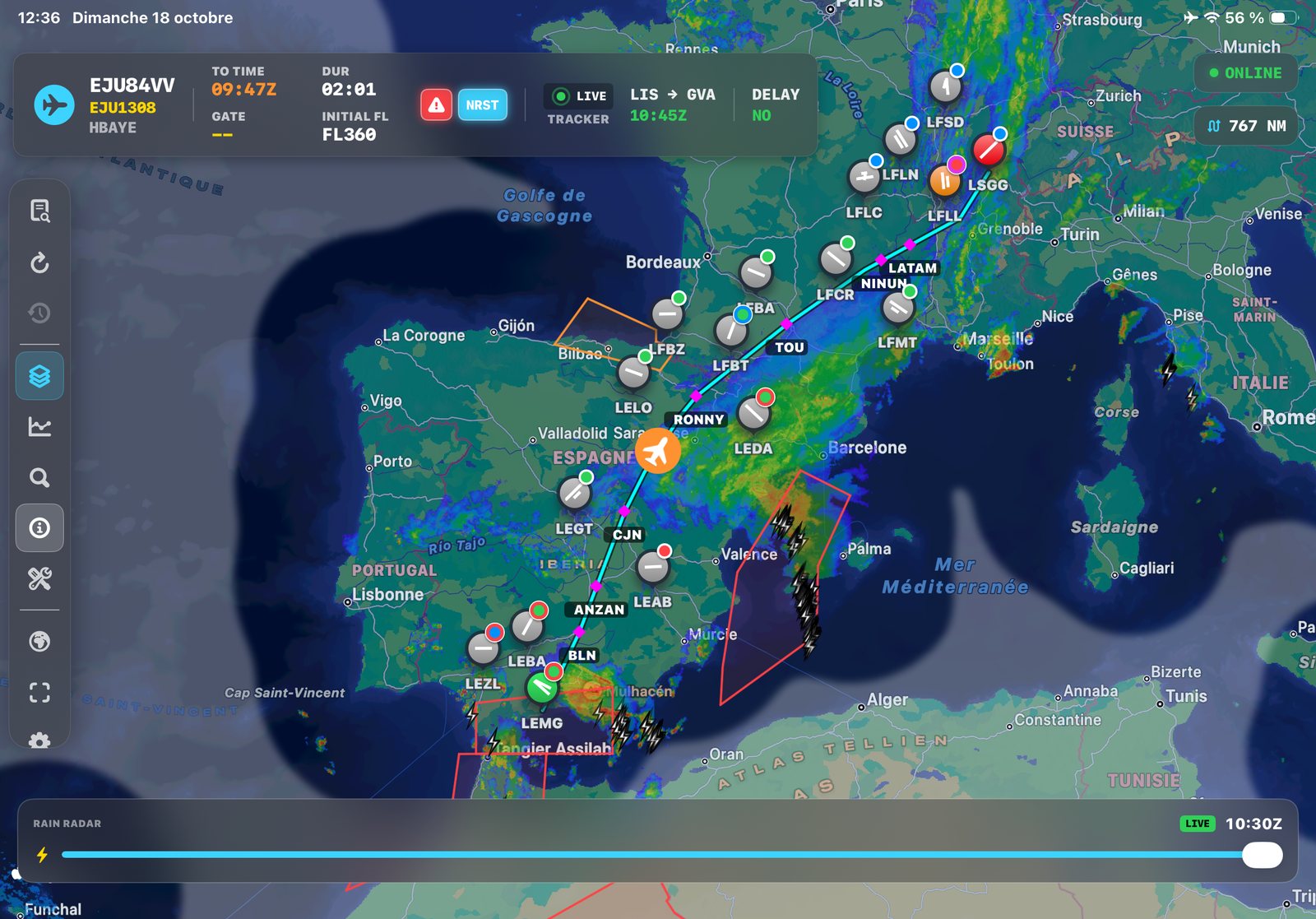
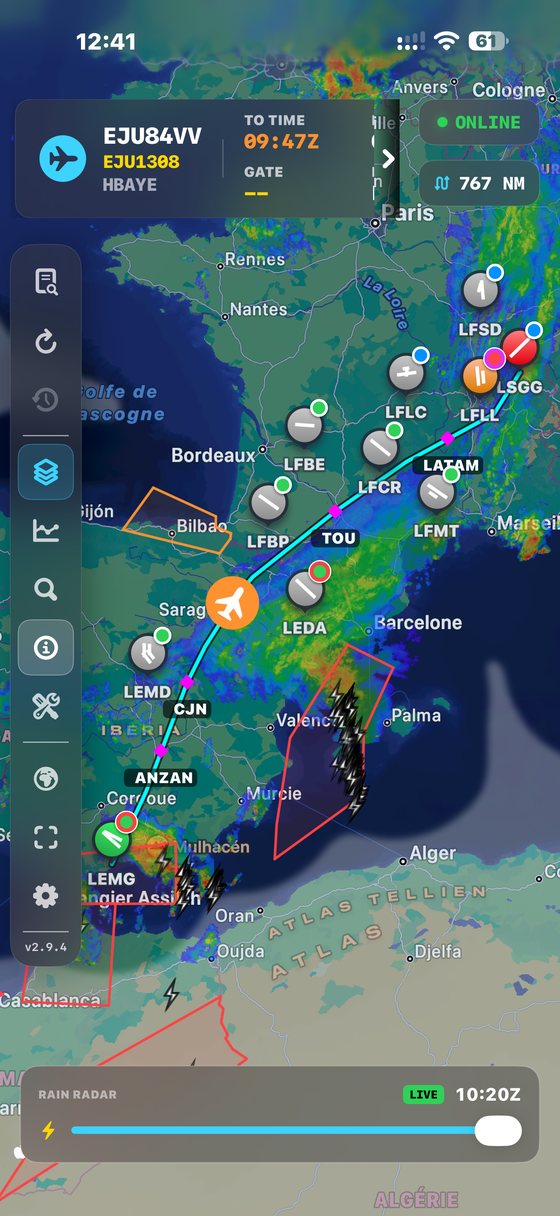
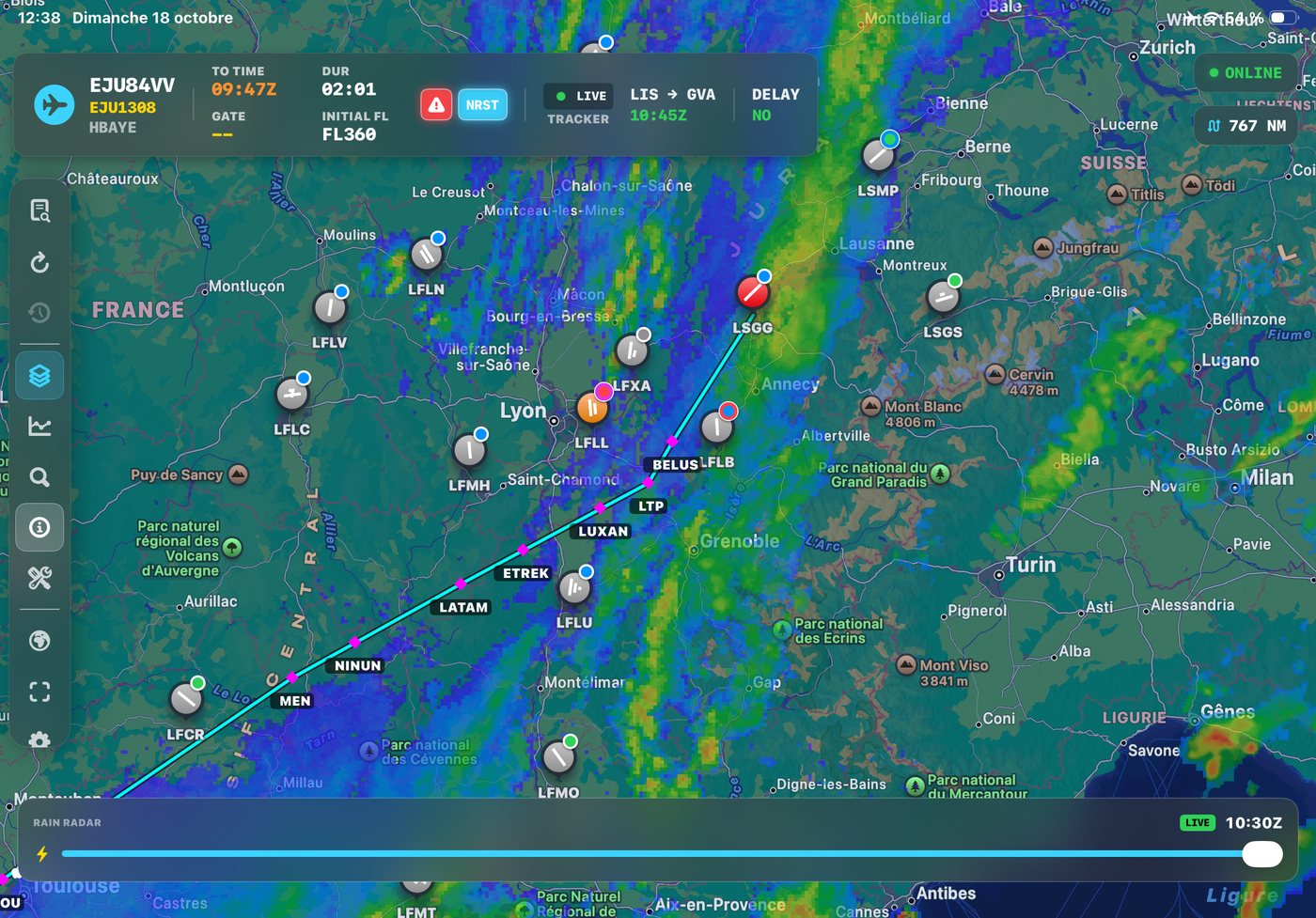
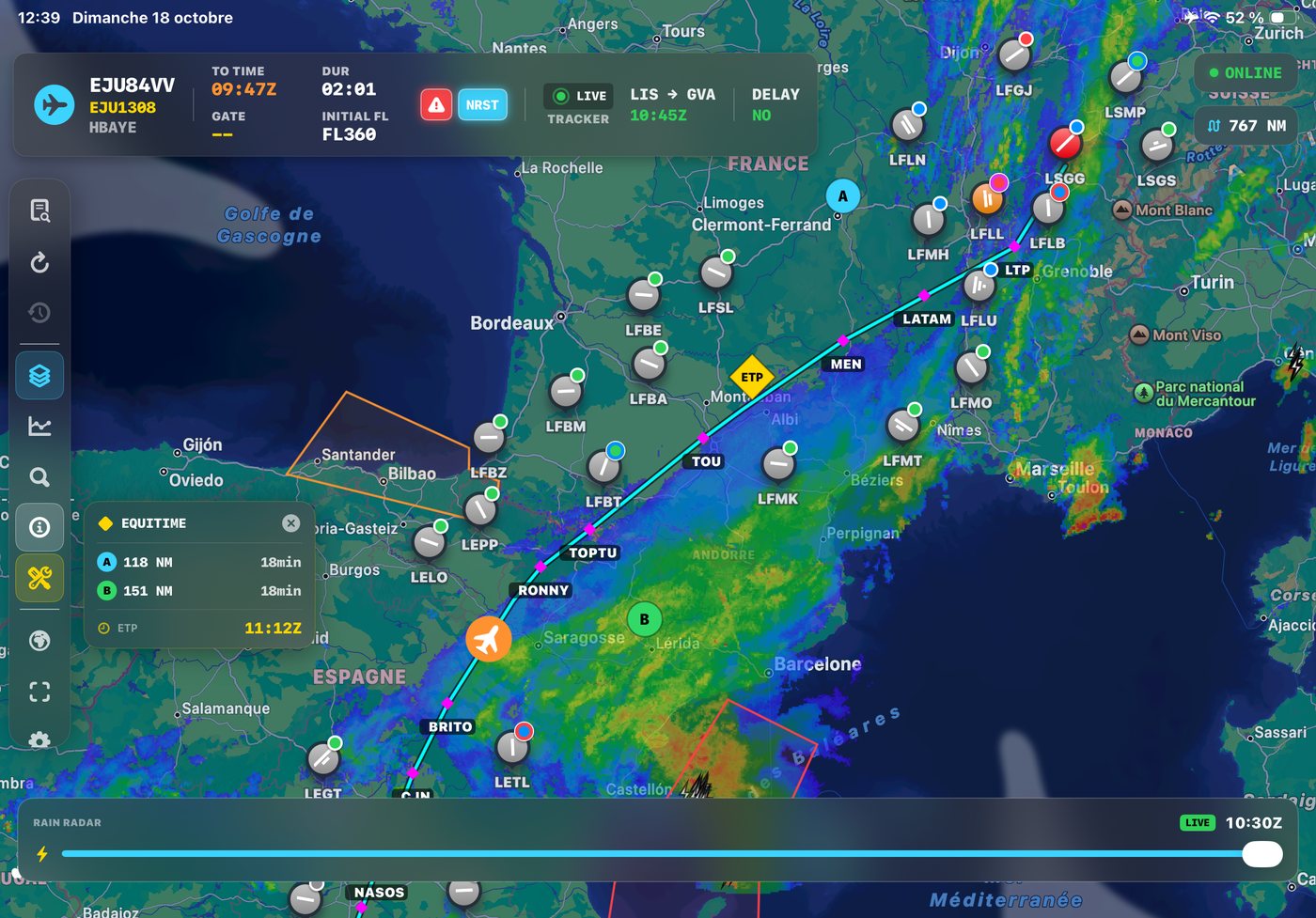
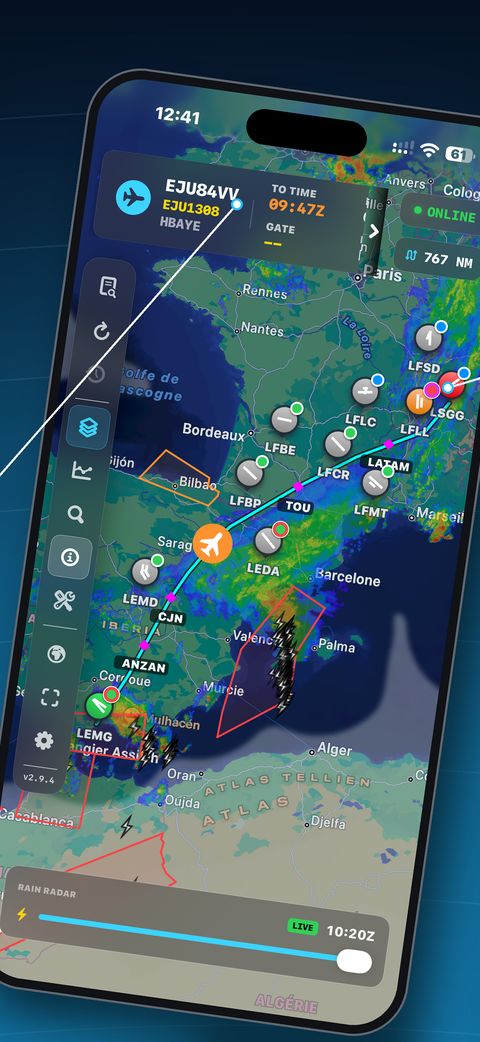
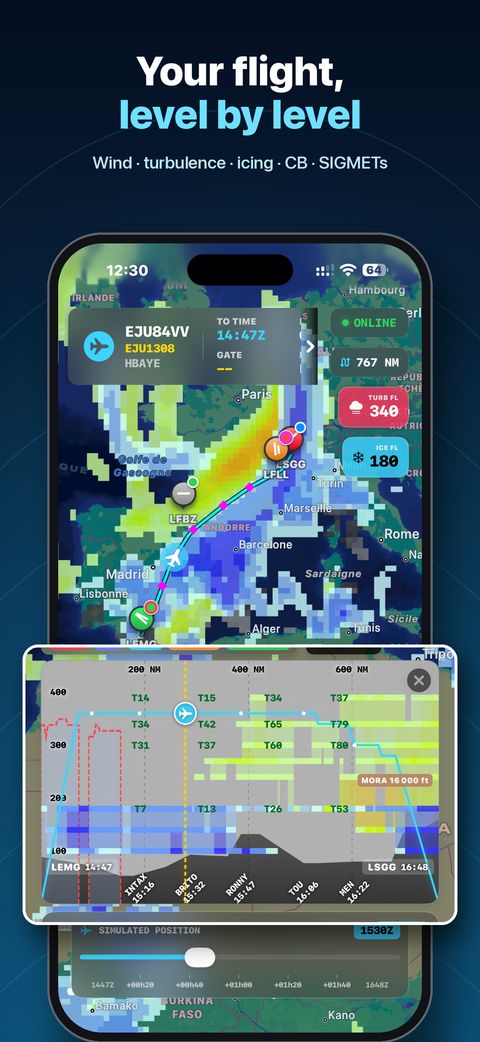
Rain radar, WAFS turbulence, CB tops, lightning, SIGMETs, and corridor TAF badges — all overlaid on your route. Scrub forward in time to see what's coming.
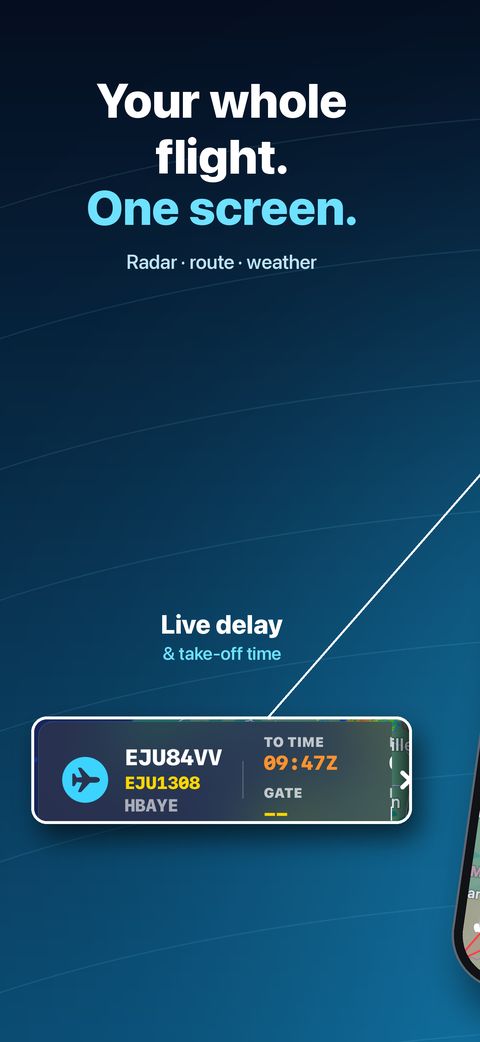
Radar tiles, WAFS, CB Tops and D-ATIS are pre-cached on takeoff. App closed mid-flight? Tap Recall to restore your full briefing instantly. ETP computed en route.
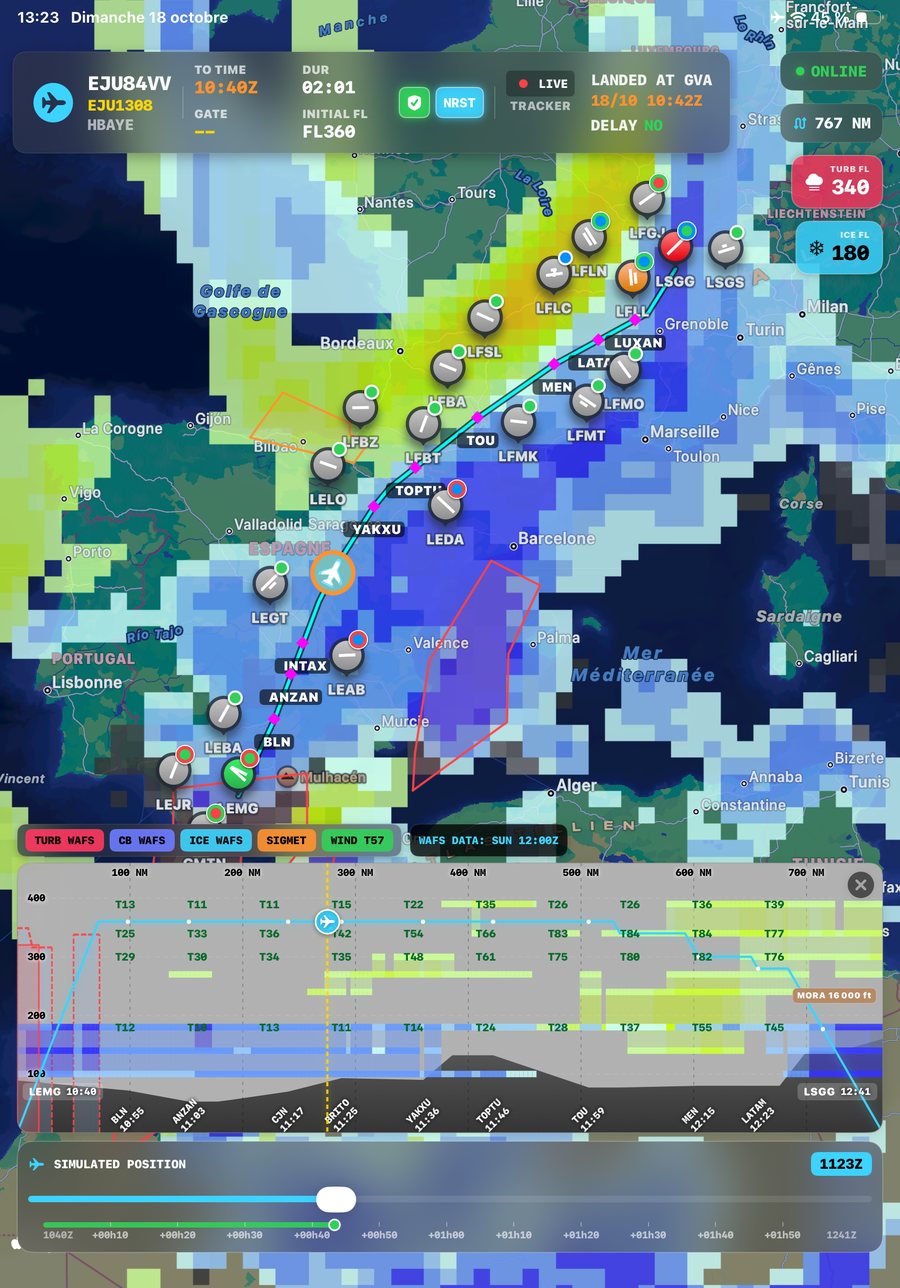
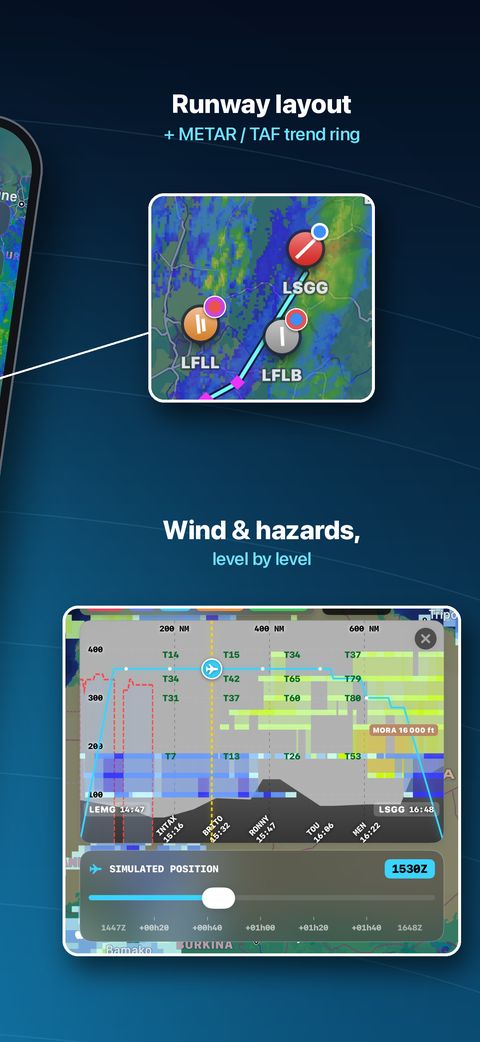
The scrubber merges vertical profile and simulated position into one tool. Terrain, MORA, WAFS turbulence from FL140 to FL450, icing severity, CB tops, and SIGMETs are plotted in cross-section — scrub forward and watch hazards evolve on the map.
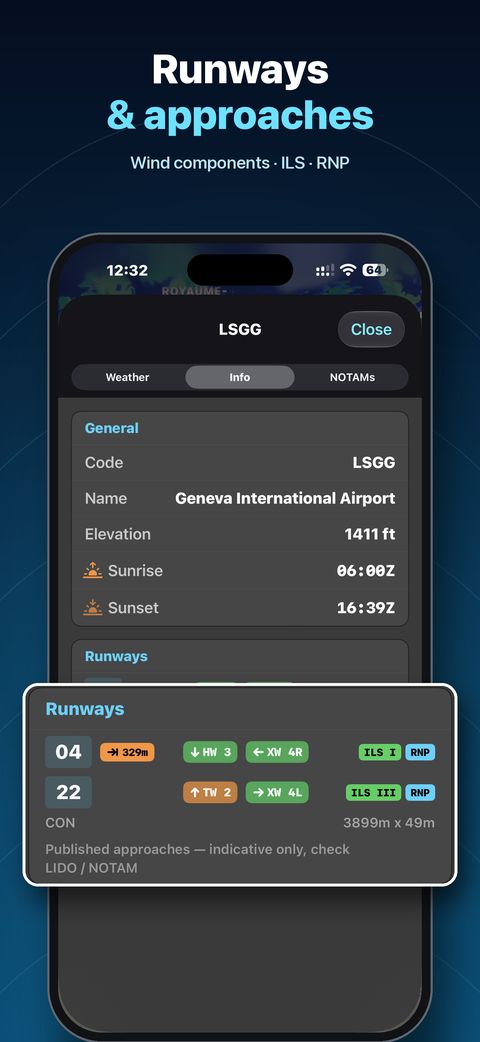
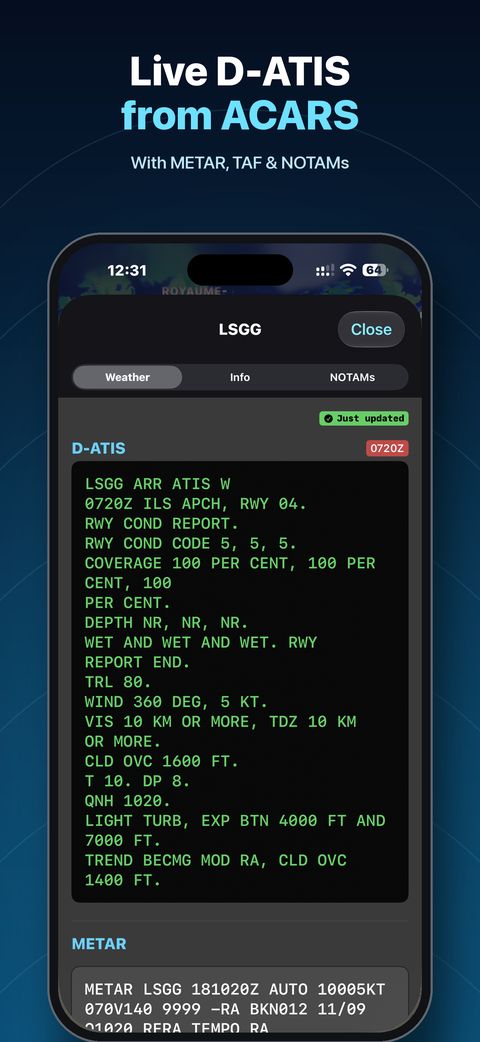
Live D-ATIS intercepted from ACARS for major airports worldwide, with freshness badges. Combined with METAR, TAF, NOTAMs, runway data and sunrise/sunset — your full airport briefing in one tap, cached offline.
Activate WX Enroute to overlay METAR and TAF trend badges for every airport within your route corridor. TAF badges show the worst flight category from now to your ETA — BECMG, TEMPO, PROB30/40 and FM all parsed. Recalculates automatically when you amend your EOBT.
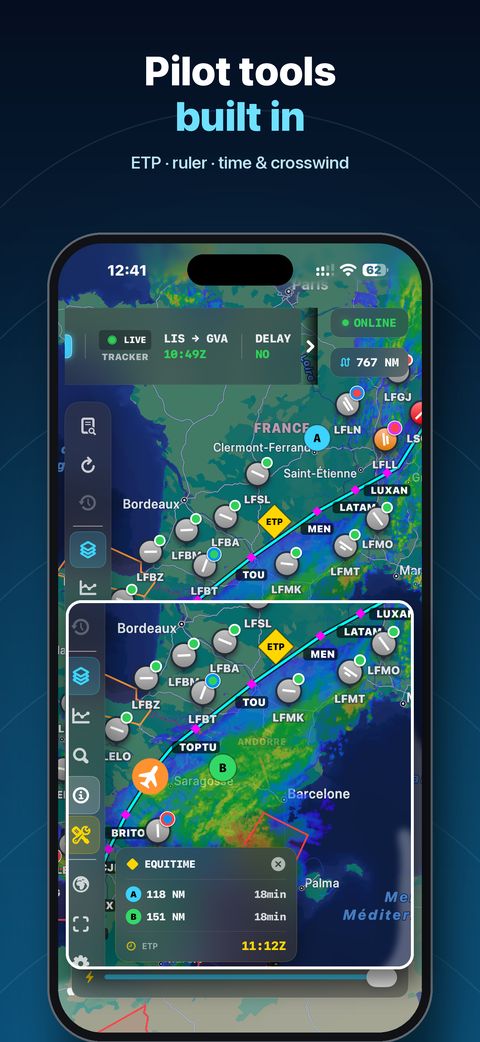
Tap two diversion airports on your route and NaviGate computes the point where diversion time is equal — wind factored in on every bearing. Critical for oceanic and remote area operations. Displayed directly on the map with time-to-each annotation.
Live rain radar from eight national networks — Europe, the United States, Australia, Japan, China, Taiwan, the Philippines and South Korea — animated on one shared timeline, with Blitzortung lightning strikes filtered to your visible map region and active SIGMETs, all layered on the same map. Where no radar reaches, the map says so instead of leaving you to guess. Pre-cached before departure and kept usable in flight — zoom and scrub with no connection.
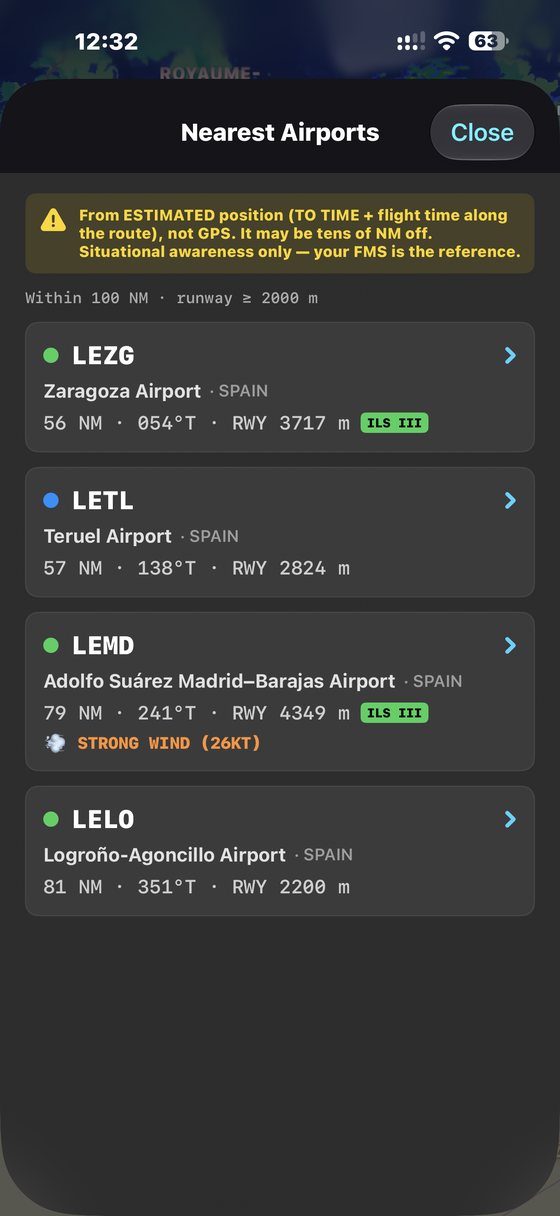
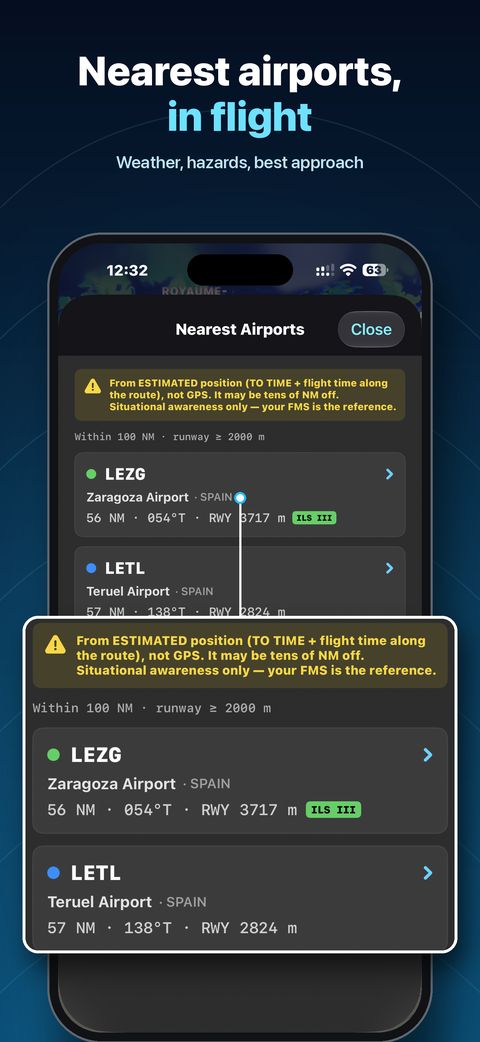
Tap the hazard badge and choose Find a Better Alternate. NaviGate scans airports near your destination — filtered by your radius and minimum runway — pulls live TAFs and ranks them Suitable or Caution. Designate any ICAO manually and METAR, TAF and NOTAMs are cached for offline use.


NaviGate is a supplementary situational awareness tool. It does not replace official ATC clearances, certified EFB systems, or regulatory briefing requirements. Always cross-check critical decisions with approved sources.
Precipitation radar: Europe — EUMETNET OPERA. United States — NOAA NEXRAD, redistributed by Iowa State University (Iowa Environmental Mesonet). Australia — Australian Bureau of Meteorology. Japan — Japan Meteorological Agency. China — China Meteorological Administration (中国气象局). Taiwan — Central Weather Administration (交通部中央氣象署). Philippines — PAGASA. South Korea — Korea Meteorological Administration (기상청). Upper-air turbulence and icing: NOAA WAFS. Lightning: Blitzortung.org.